Live Stream
Connected to the device’s Wi-Fi, but cannot view live video using MCTool
Section titled “Connected to the device’s Wi-Fi, but cannot view live video using MCTool”-
Check the device’s ACC status: when ACC
OFF, live video can only be viewed during the delayed shutdown and engine-off recording periods; when ACCON, this requirement does not apply.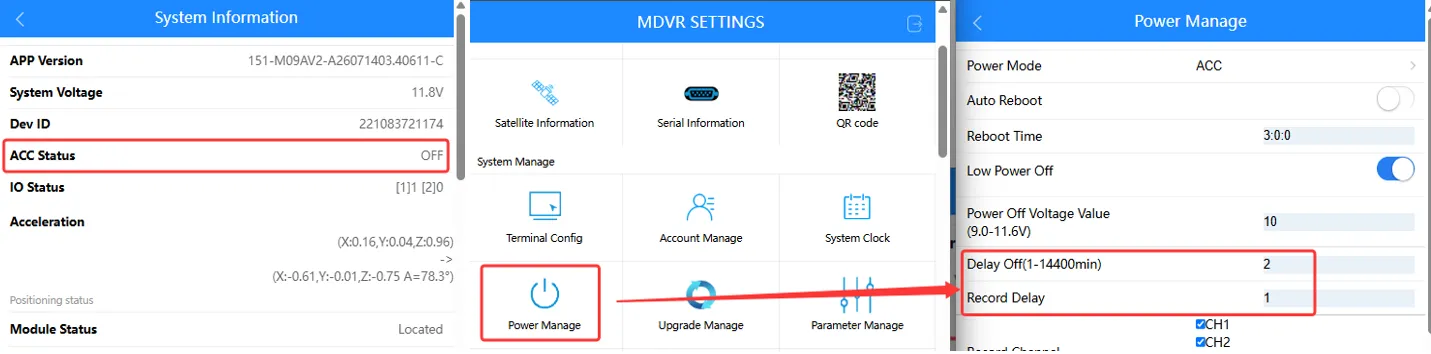
-
Check the device’s recording enable switches: the main and sub-stream recording switches must be
on.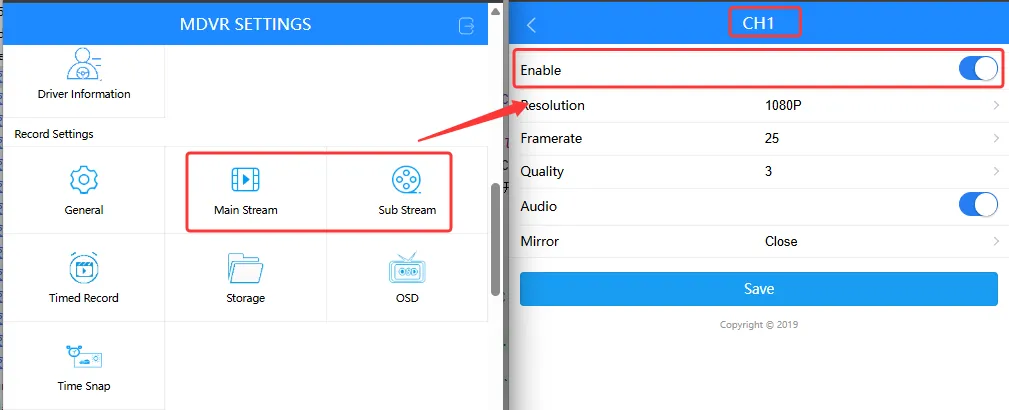
-
Verify that the device’s camera is functioning normally: all
CHstatuses are1.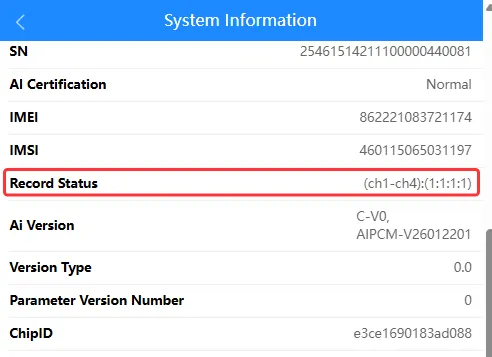
The live video feed is blurry or unclear when connecting the device to Wi-Fi using MCTool
Section titled “The live video feed is blurry or unclear when connecting the device to Wi-Fi using MCTool”-
Check the condition of the device’s camera lens: the camera lens should be free of smudges, scratches, and other visible damage.
-
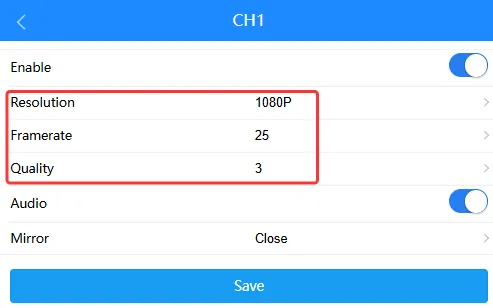
Adjust the video stream parameters: main/sub-stream video parameters.
-
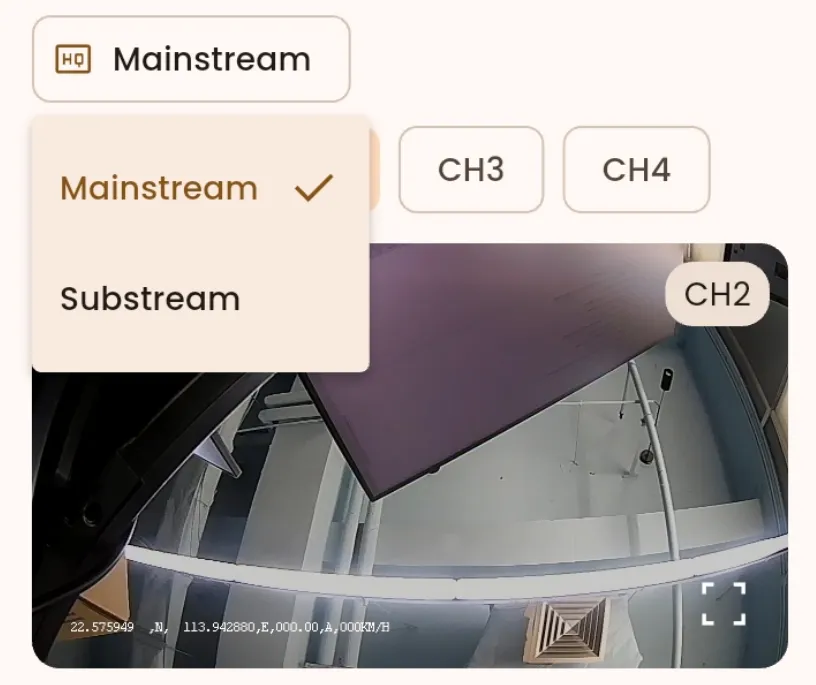
Change the stream playback mode: switch between the main and sub-streams to view the live stream.
Platform Live Stream IssuesTroubleshooting live stream issues on the platform.