Expense Management
The Expense Management feature allows you to view and manage various fleet expenses.
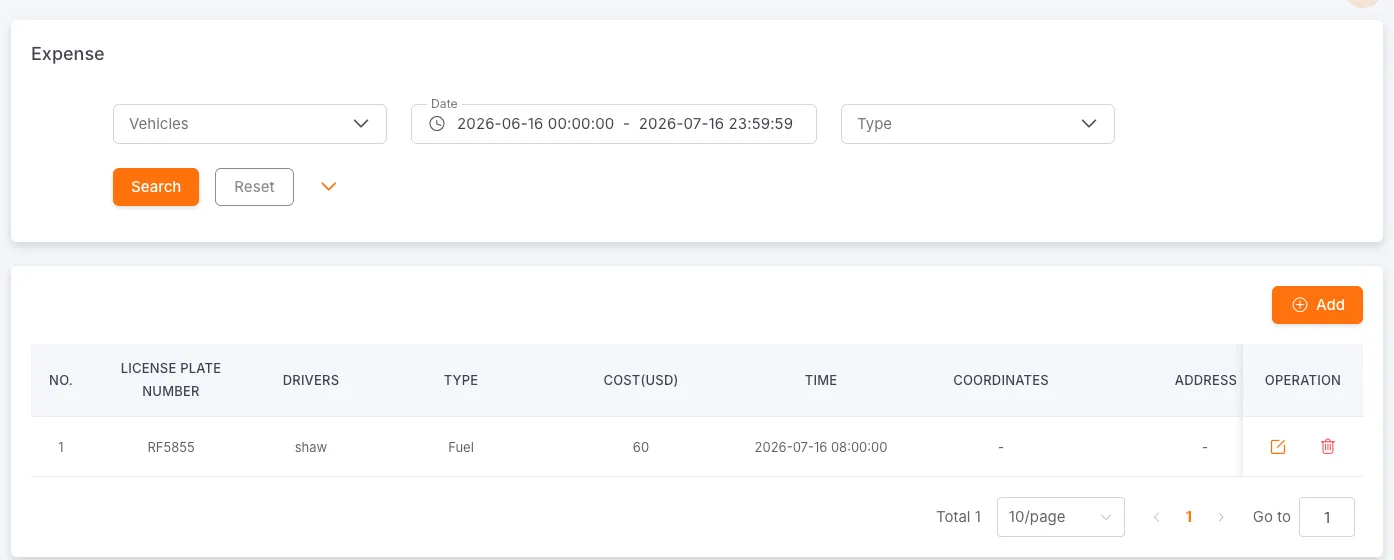
Filtering Expense Records
Section titled “Filtering Expense Records”Vehicle: Select a specific vehicle to view its expense records.
Date Range: Set start and end dates to filter records for a specific period.
Type: Filter by expense category.
Click “Search” to apply filters, or click “Reset” to clear all filter criteria.
Expense Record Details
Section titled “Expense Record Details”The expense record list displays License Plate, Driver, Type, Amount (USD), Time, Coordinates, Address, Document ID, Remarks, and Actions (Edit, Delete).
Expense Types
Section titled “Expense Types”The system supports 16 expense types: Fuel, Tyre, Maintenance, Breakdown, Accidents, Fines, Toll Roads, Substance (Materials), Bonuses, Depreciation, Financing, Drivers, Insurance, Taxes and Rates, Cease (Loss due to downtime), and Others.
Add Expense Record
Section titled “Add Expense Record”Click the “Add” button in the top-right corner to open the expense details pop-up window:
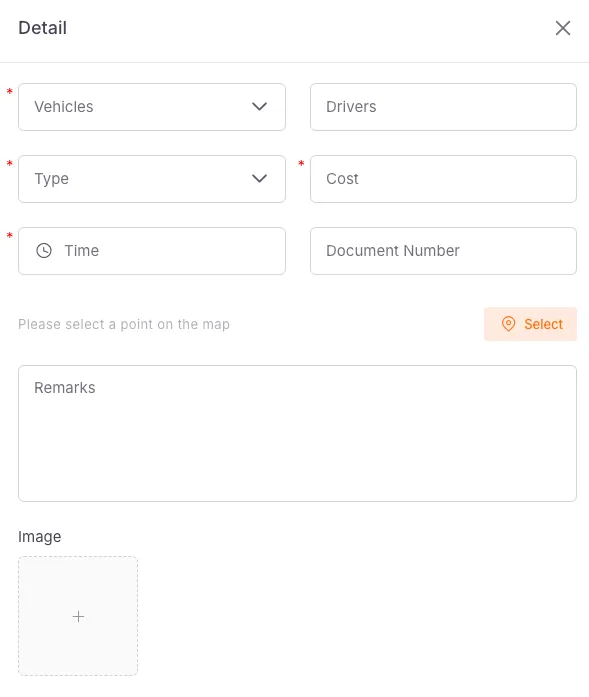
Required fields: Vehicle*, Type*, Price*, Time*
Optional fields: Driver, Receipt Number, Location, Remarks, Image
Once you have filled in the details, click “Confirm” to save the expense record, or click “Cancel” to discard the operation.