GPS positioning
The device’s location status is “Not Located,” and it is not located on the platform
Section titled “The device’s location status is “Not Located,” and it is not located on the platform”flowchart LR
A[Location Installation] --> B[Modules and Interfaces]
B --> C[Software Configuration]
-
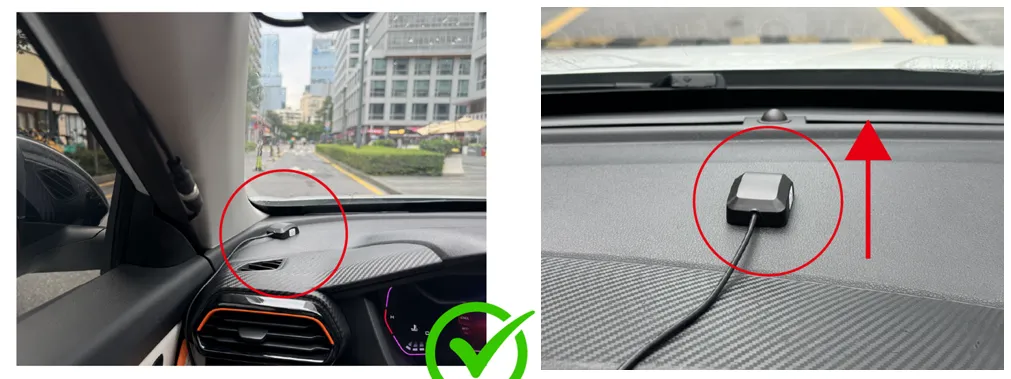
Verify the installation location of the device’s GPS antenna: it should not be in an underground parking garage, under an overpass, in a narrow gap between tall buildings (urban canyon), under a metal carport, or in an indoor testing environment, and it should remain unobstructed while facing upward.
-
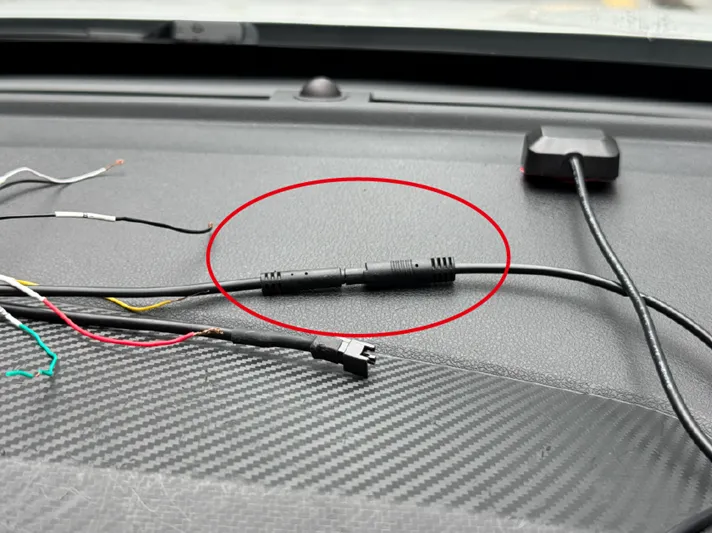
Verify the installation of the device’s GPS antenna connector: the device should be properly connected to the GPS antenna, and the connector should be secure.
-
Verify that the device’s GPS antenna is functioning properly: replace it with an antenna from another device capable of positioning and run a comparison test under the same conditions. If positioning works after replacement, the original GPS antenna is likely faulty.
-
Verify that the device’s network connection is working properly: dial-up successful and signal strength greater than
19. This affects platform positioning but does not affect the device’s positioning.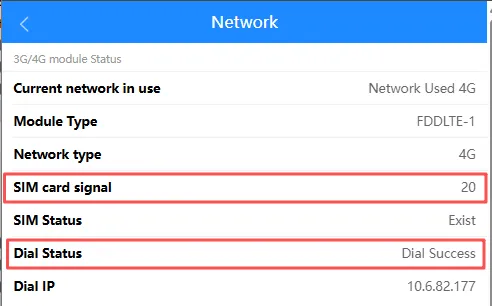
-
Verify satellite information: detect
5or more satellites, with3–4satellites having a signal strength of30or higher. This requirement may change with future updates.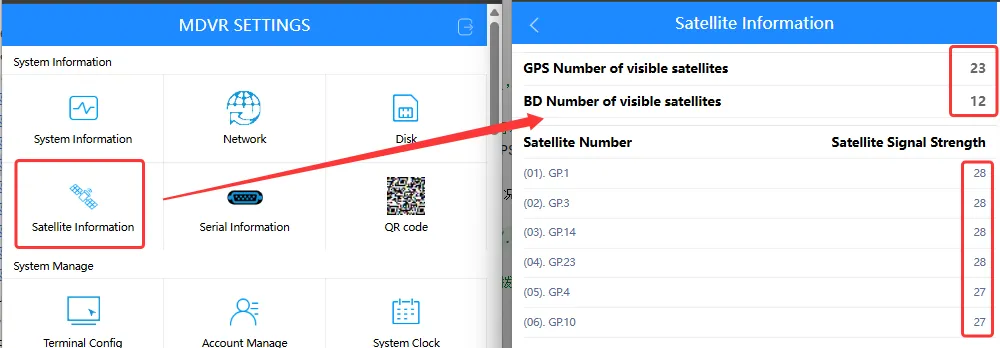
-
If the device still cannot be located on the platform after following the troubleshooting steps above, adjust the corresponding platform server’s
GPS upload intervalas needed. The smaller the value, the faster GPS location data is uploaded, but the more data traffic is consumed.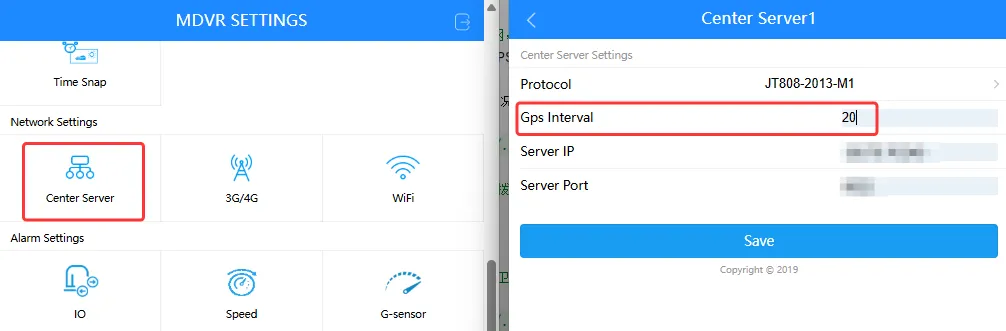
-
If you have followed the troubleshooting steps above and the device is still not located, please contact an FAE for assistance.