Media Sync
When the device is connected to Wi-Fi, historical playback cannot be viewed using MCTool
Section titled “When the device is connected to Wi-Fi, historical playback cannot be viewed using MCTool”-
Check that the device’s network connection is working properly: dial-up successful and signal strength greater than
19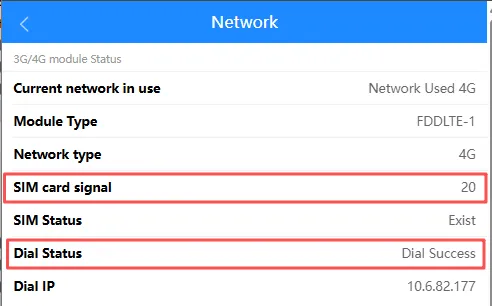
-
Check that the device’s TF/SD card is functioning correctly
-
Disk status is
normal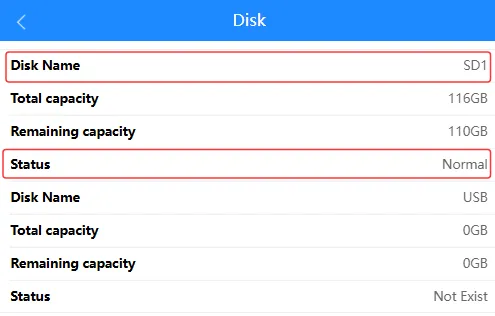
-
Insert the memory card into a computer and use Disk Utility to check its status
-
-
Ensure the device is in ACC
ONmode; if it is in ACCOFFmode, you will only be able to view the footage recorded whilst the engine was switched off -
The capacity of the memory card determines the recording duration; older footage will be overwritten
When connected to the device’s Wi-Fi, there is no audio when viewing historical recordings via MCTool
Section titled “When connected to the device’s Wi-Fi, there is no audio when viewing historical recordings via MCTool”-
For devices with a built-in camera channel, check the device’s audio recording switch.
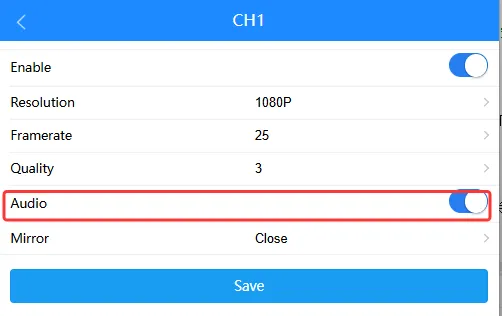
-
MDVR series devices require an external camera to support audio recording.
-
You can use platform commands or SMS commands to check or change the audio setting; for details, please refer to relevant-commands