Snapshot
flowchart LR
    A[Snapshot] --> B[Device]
    A --> C[Platform]

    B --> B1[Scheduled Snapshot]
    B --> B2[Alarm Triggered Snapshot]
    B2 --> B21[IO AlarmTriggered Snapshot]
    B2 --> B22[AI AlarmTriggered Snapshot]

    C --> C1[Remote Snapshot]
Device-Side Snapshot
Section titled “Device-Side Snapshot”Scheduled Snapshots
Section titled “Scheduled Snapshots”-
In Time Snap, you can set the
Interval TimeandStorage Timefor scheduled snapshots, and select theSnapshot ChannelandAttachment Uploadoptions.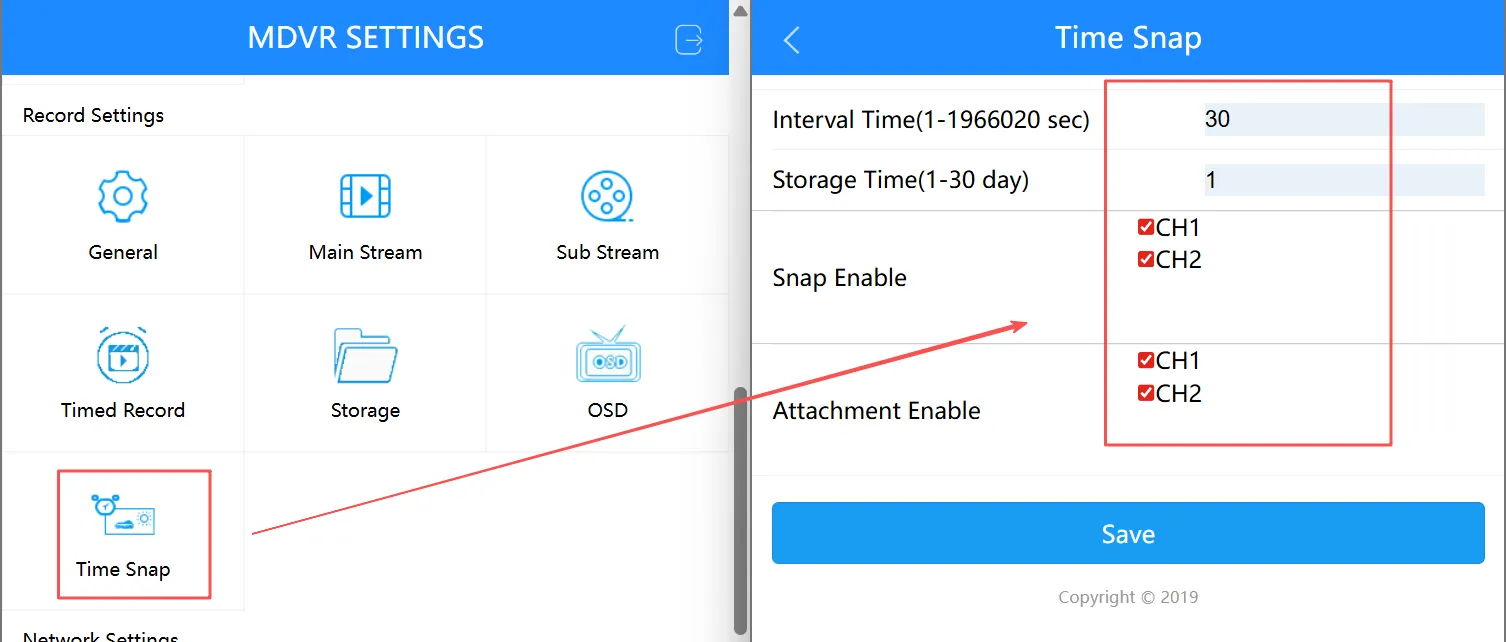
-
Snapshot images uploaded to the platform from the device’s scheduled capture will be stored in the platform’s
IOTGallery.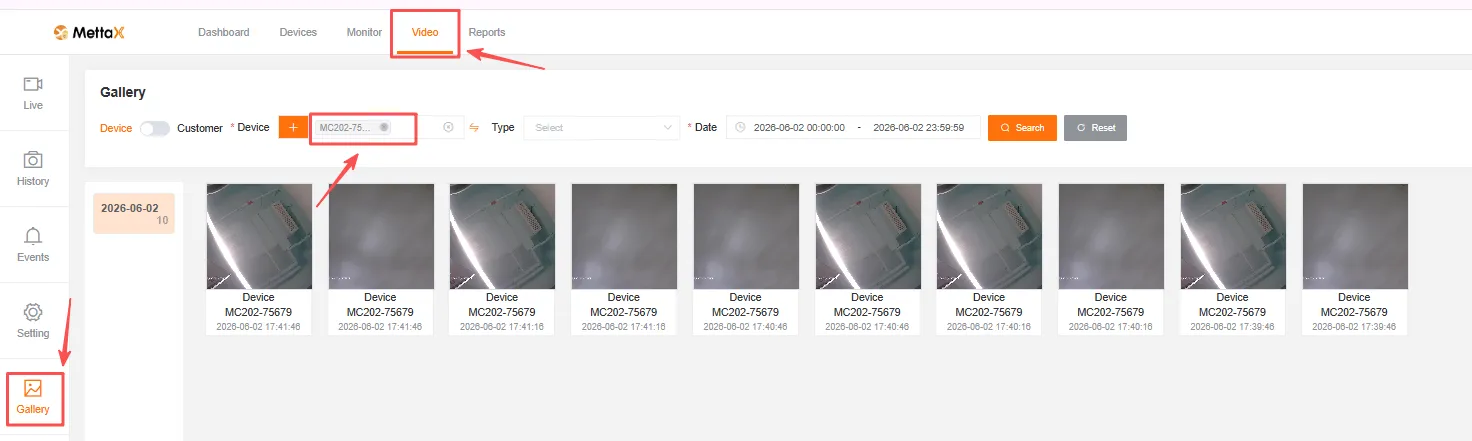
Snapshots Triggered by Alarms
Section titled “Snapshots Triggered by Alarms”IO Alarm-Triggered Snapshots
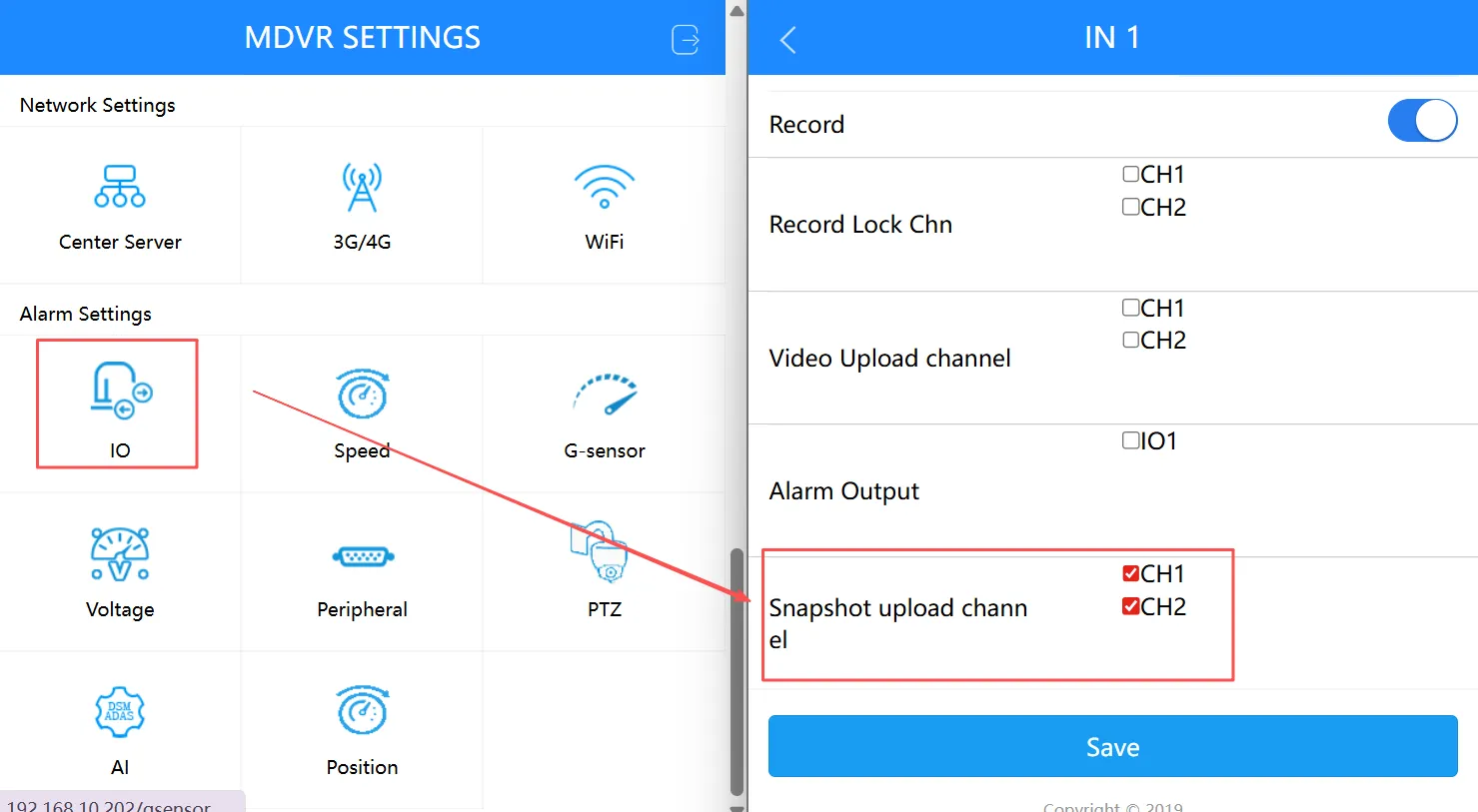
Section titled “IO Alarm-Triggered Snapshots”Refer to IO Alarm Recording to enable IO alarms. Check the Snapshot upload channel option to view alarm snapshots in IOT -> Gallery.
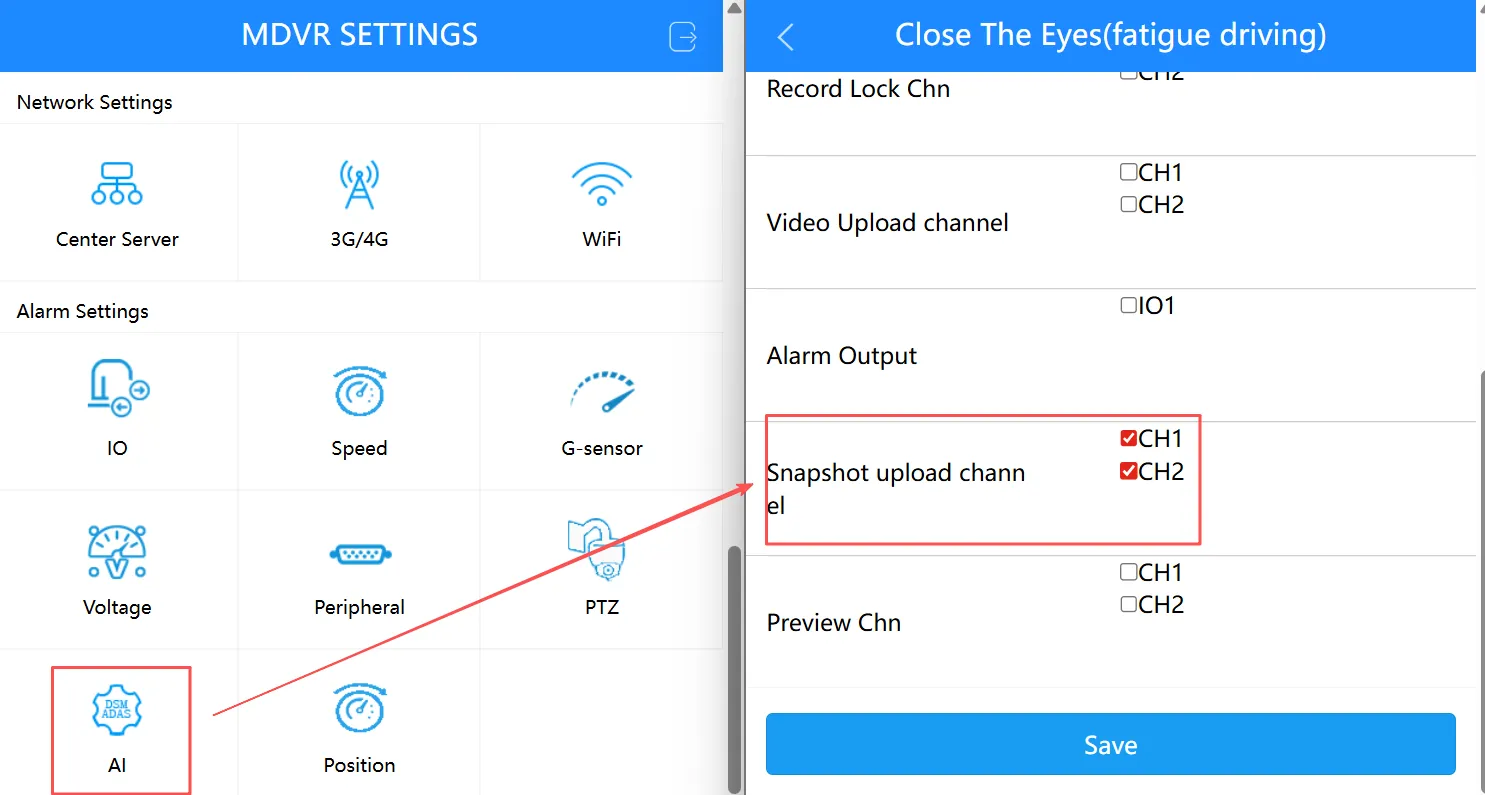
AI Alarm-Triggered Snapshots
Section titled “AI Alarm-Triggered Snapshots”Refer to Alarm Video to enable AI Alarms. Check the Snapshot upload channel option to view alarm snapshots under IOT > Gallery.