History Playback
The platform cannot view historical replays
Section titled “The platform cannot view historical replays”-
Verify that the device’s network connection is working properly: dial-up successful and signal strength greater than
19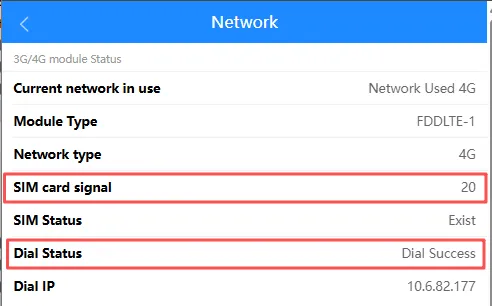
-
Verify that the device’s TF/SD card is functioning properly:
-
Disk status is
normal.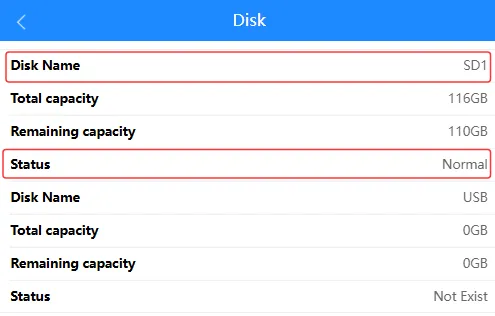
-
Insert the memory card into a computer and use Disk Utility to check its status.
-
-
Verify that the device is in ACC ON mode. If it is in ACC OFF mode, you can only view the footage during the “recording while engine is off” period.
-
The size of the memory card determines the recording duration; older video footage will be overwritten.
No audio during platform playback
Section titled “No audio during platform playback”-
For devices with a built-in camera channel, verify the device’s audio recording setting.
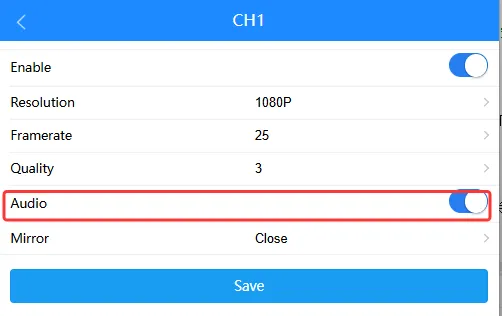
-
MDVR series devices require an external camera to support audio recording.
-
You can use platform commands or SMS commands to check or change the audio setting. For details, refer to Related Commands