Facial Recognition
Importing Driver Facial Information Locally
Section titled “Importing Driver Facial Information Locally”-
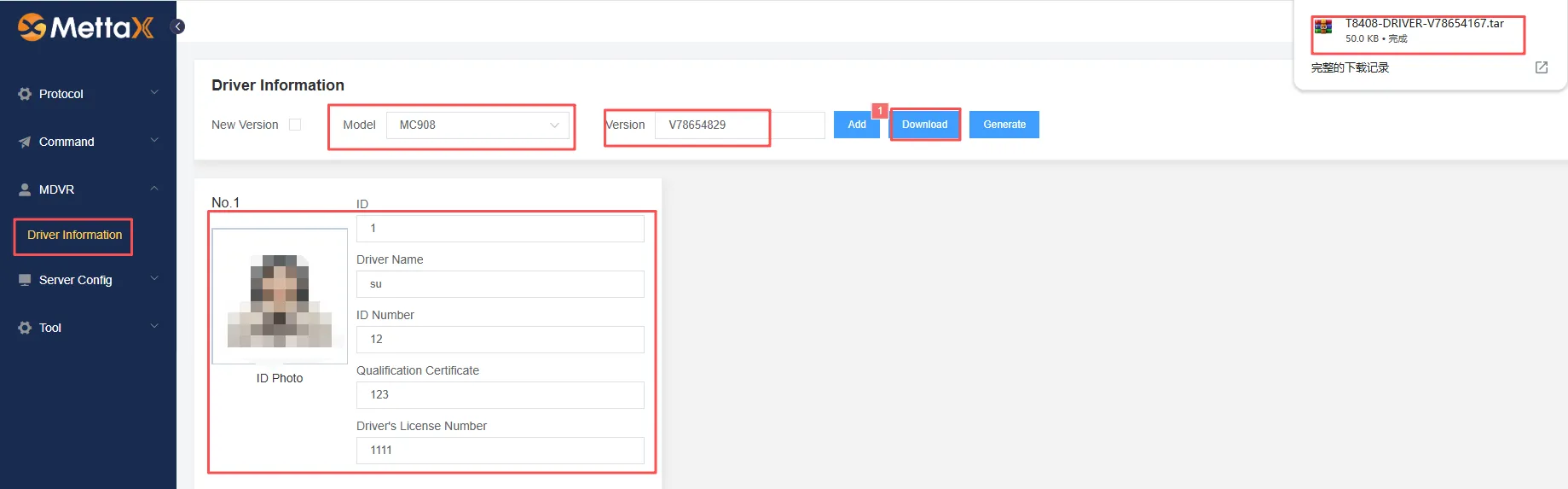
Generate a compressed driver information package: Use the
Face Entry Toolto generate the information package-
Select images no larger than 680x480 pixels; the format must be JPG; avoid using Chinese characters in filenames; use numbers, English letters, etc.
-
Image standards should follow ID photo guidelines: no glasses, jewelry, or bangs covering the eyebrows, etc.
-
Multiple entries can be included, but unique IDs must not be duplicated
-
-
Import the information package into the device:
-
Place the downloaded driver information package (T8408-DRIVER-V78654167.tar) in the
root directory of the SD card/TF card/USB drive -
With the device powered off, insert the SD card/TF card/USB drive into the device, turn on the device, and wait for the device to recognize the SD card/TF card/USB drive
-
Connect to the device’s Wi-Fi or use the touchscreen: Alarm Settings > AI Alarm > Driver > Import Information
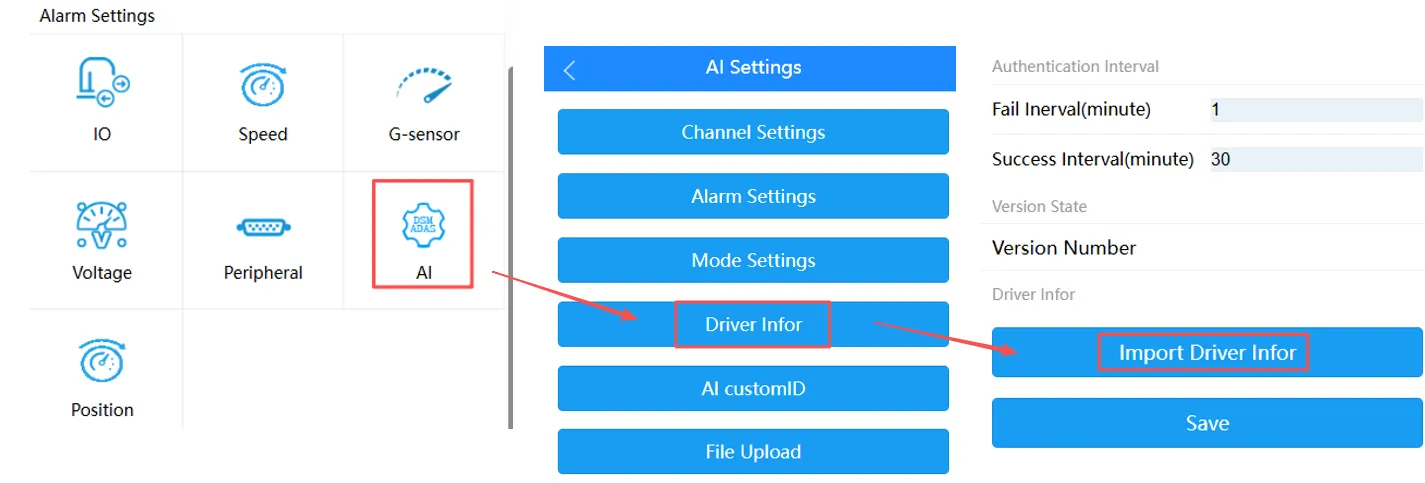
- Once the import is successful, you can view the imported driver information on the
Information Importpage
-