Live Stream
Unable to View Live Stream on the Platform
Section titled “Unable to View Live Stream on the Platform”-
Pre-check on the device: ACC status, bitrate enable status, and camera operation status. Refer to Device Live Streaming
-
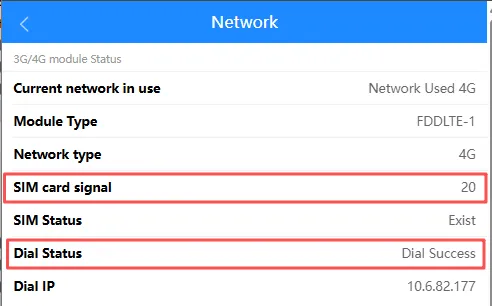
Verify the device’s network status: SIM card detected, successful dialing, and signal strength greater than
19.
-
Adjust the relevant fields on the platform side:
Node,Type, and Decoder. After modifying the relevant settings, try loading the live stream again.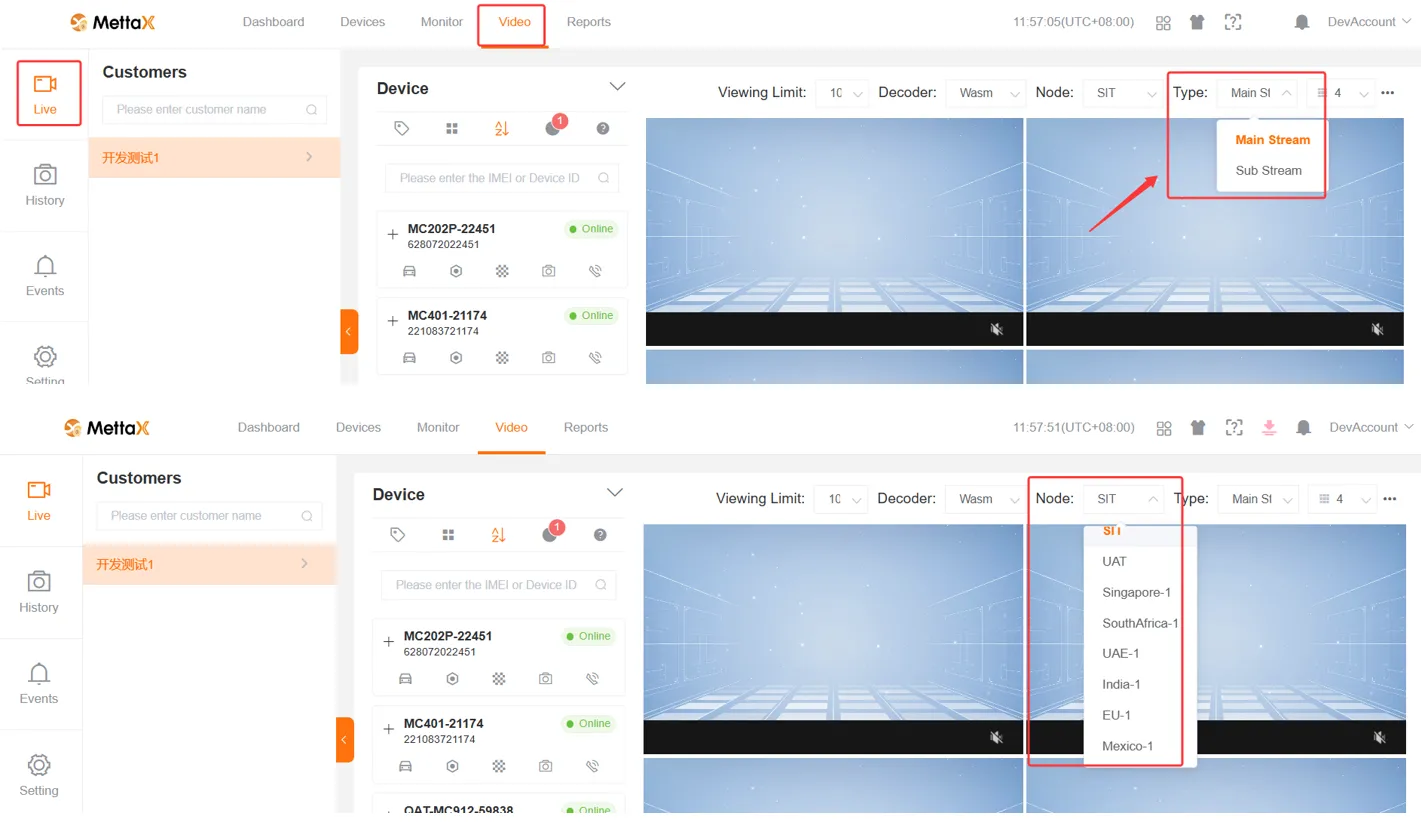
The platform cannot load the live stream video, but audio is present
Section titled “The platform cannot load the live stream video, but audio is present”-
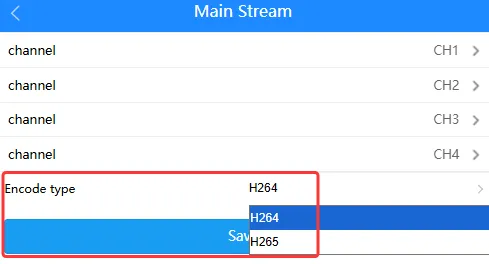
Verify the device’s encoding format; you can switch between H.264 and H.265. Close the existing live stream, wait a moment, and then try loading the live stream again
-
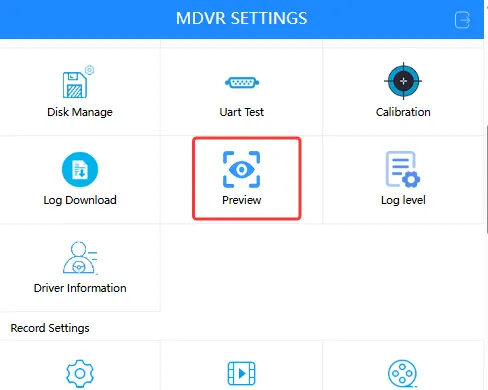
Check the device’s local preview to verify the local video status (normal, black screen, no signal)
-
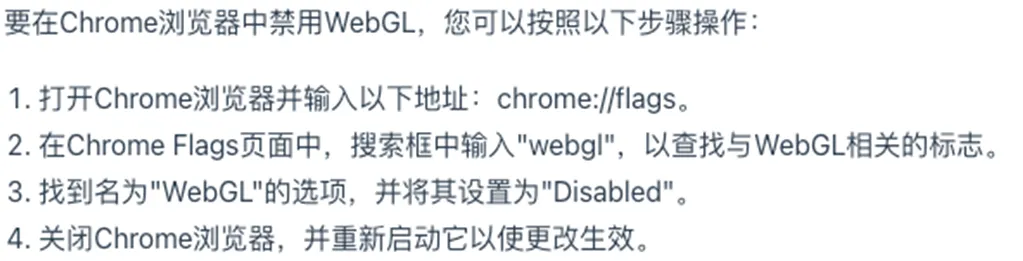
Verify that WebGL is disabled in your browser
Device MCTool Live Stream IssuesTroubleshooting live stream issues with MCTool.